
What it does
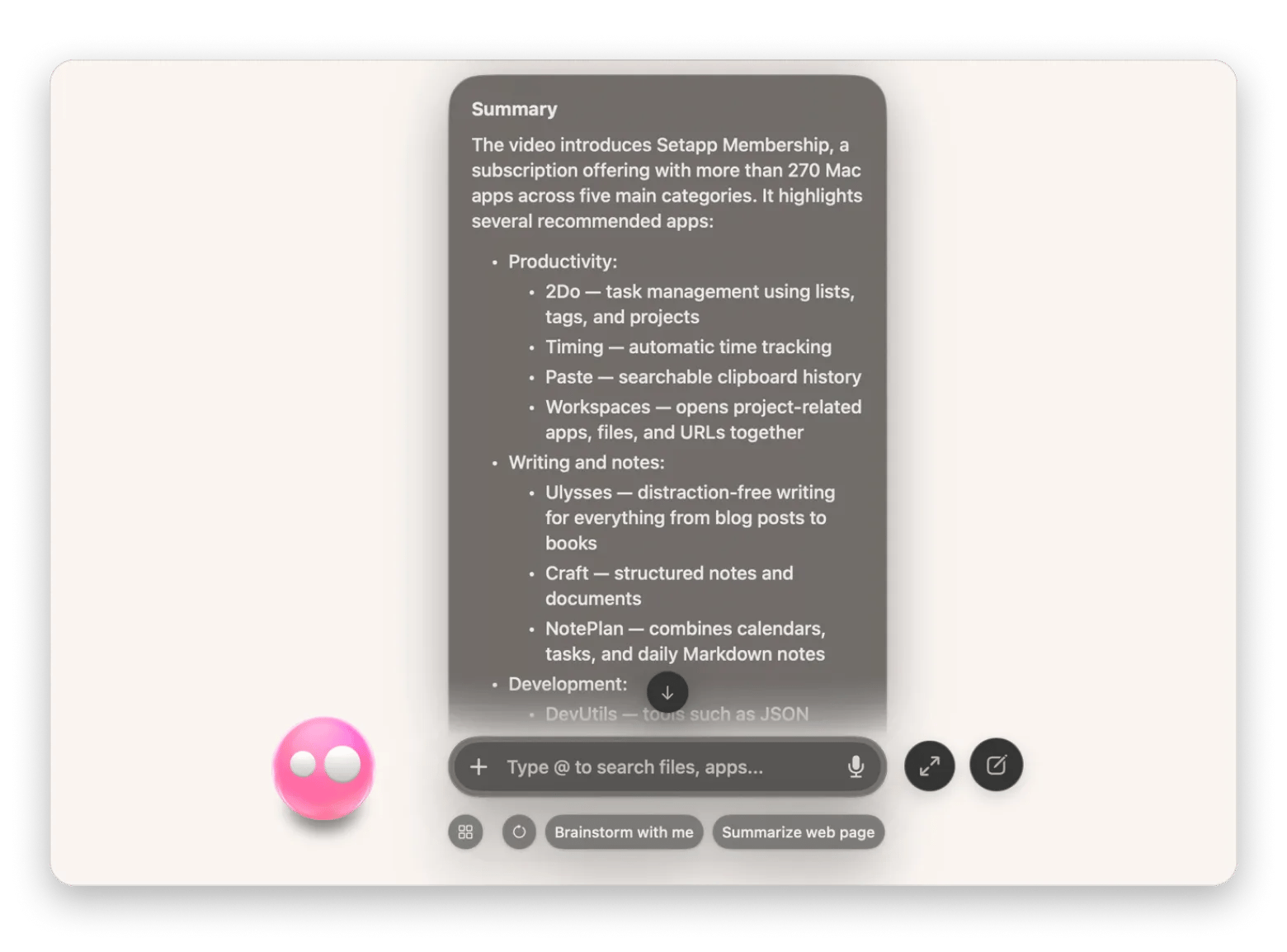
When you give Eney a YouTube video link and ask for a summary, the AI assistant fetches the video’s transcript and identifies the main topics, key points, and useful takeaways. It then gives you a summary you can read and copy. This can save a lot of time when you want to get the substance of a lecture, interview, or other video without watching the entire thing.
Try the prompt
Paste the following prompt into Eney to create a skill for summarizing YouTube videos on Mac:
Create a YouTube Summarizer skill with these guidelines:
When the user asks to summarize a YouTube video, ask them to provide the video link if they haven’t provided one.
Retrieve the video and transcript.
Use the transcript to identify the main topics, key points, important details, conclusions, and useful takeaways.
Include the important names, numbers, dates, and other specific details from the transcript.
Organize the summary with clear headings, paragraphs, or bullet points based on the content.
If no transcript is available, tell the user that the video cannot currently be summarized and explain why. Request that they provide the transcript manually.
Do not invent information or claim that the video says something that is not supported by the available content.
Return the finished summary directly in the conversation.
Behavioral notes:
Adjust the level of detail based on the length and complexity of the video.
Keep the summary clear, factual, and easy to scan.
What you'll see in Eney
When you ask Eney to summarize a YouTube video and provide the link, the AI assistant will process the request within a few seconds and return the summary. You can read it from the companion view or click the copy button to move it to another app.
Who this is for
You’ll get the most out of it if you:
Students who want to extract the key points from long lectures or tutorials without watching the full video.
Researchers and knowledge workers who want to know if the information they are looking for is contained in a particular video before watching.
Content creators who want to quickly catch up on content from other creators, get inspiration, or keep up with industry discussions.