
What it does
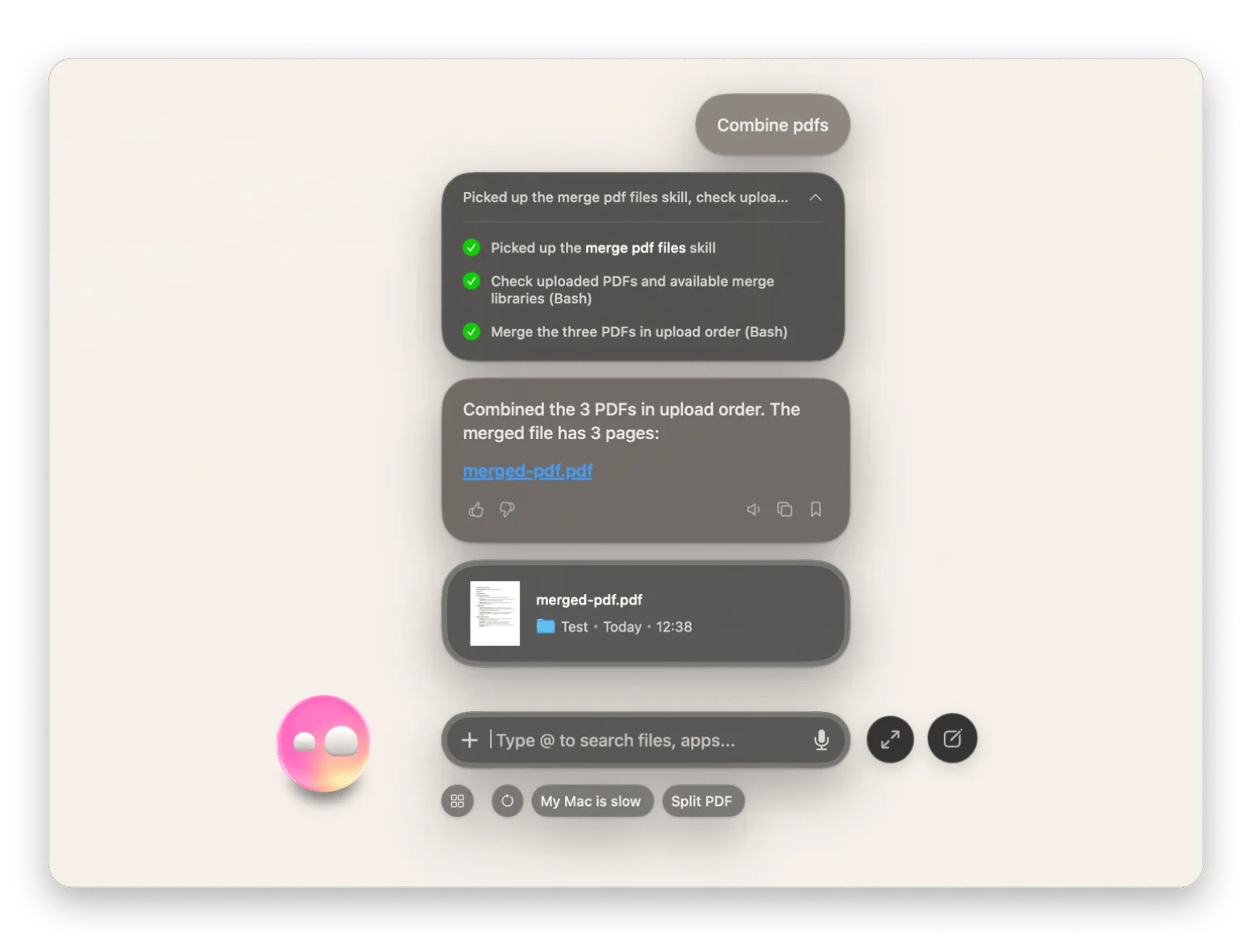
When you ask Eney to combine multiple PDFs, it loads the Merge PDF Files skill and merges them in the order you provide. You can also specify the order you want or point out any particular page you want to remove. You can use the skill to join scanned documents, assignments, or other files.
Try the prompt
Paste the following prompt into Eney to create a skill that will help you merge PDF files on Mac:
Create a Merge PDF Files skill with these guidelines:
When the user asks to merge PDFs, ask them to upload the files. If they are already provided, proceed with the task.
Combine all uploaded PDF files into a single PDF.
If no order is specified by the user, merge the files in the upload order.
Preserve the pages and content of the original PDFs without modifying them.
If the user asks to exclude certain pages, identify and remove them.
Name the output PDF based on meaningful words shared by the input filenames. If no clear name can be determined, use merged-pdf.pdf.
Return the finished PDF in the conversation.
If a file cannot be processed, explain the issue and identify the file that caused the problem.
Behavioral notes:
Keep the interaction focused on merging the PDFs.
Do not modify the content or page layout unless the user asks.
What you'll see in Eney
When you mention something related to merging PDFs, Eney will ask you to add them if you haven’t. Eney will merge the documents and return the combined file in the conversation.
Who this is for
This will save you time if you:
Office workers who often combine scanned documents or other PDF files for sharing or filing.
Students who want to join assignments, notes, or scanned pages into a single PDF file for revision or sharing.
Professionals who often deal with client documents or project files that need to be shared as one document.