
What it does
When you upload an image or multiple images, the AI assistant uses its image to PDF converter to turn photos, scans, and other image files into PDF documents. It also combines multiple images into one PDF, which is quite useful when you need to share multiple images or turn scans into a document.
Try the prompt
Paste the following prompt to create an Image to PDF skill on Mac:
Create an Image to PDF skill with the following instructions:
When the user asks to convert an image or images to PDF, ask them to upload the file(s) if they haven’t provided them.
Convert the image files into a standard PDF file.
If multiple images are provided, combine them into one PDF in the order provided.
Preserve the original image quality as much as possible.
Provide the PDF file as the output.
Name the output PDF based on the input filename(s). For a single image, use the original filename. For multiple images, create a concise combined filename using the common subject or meaningful words from the input filenames. If the filenames don’t provide a clear name, use a simple descriptive name such as converted-images.pdf
Return the finished PDF in the conversation.
Behavioral notes:
Keep the interaction simple and focused on completing the conversion.
Do not modify, crop, or rearrange images unless the user asks.
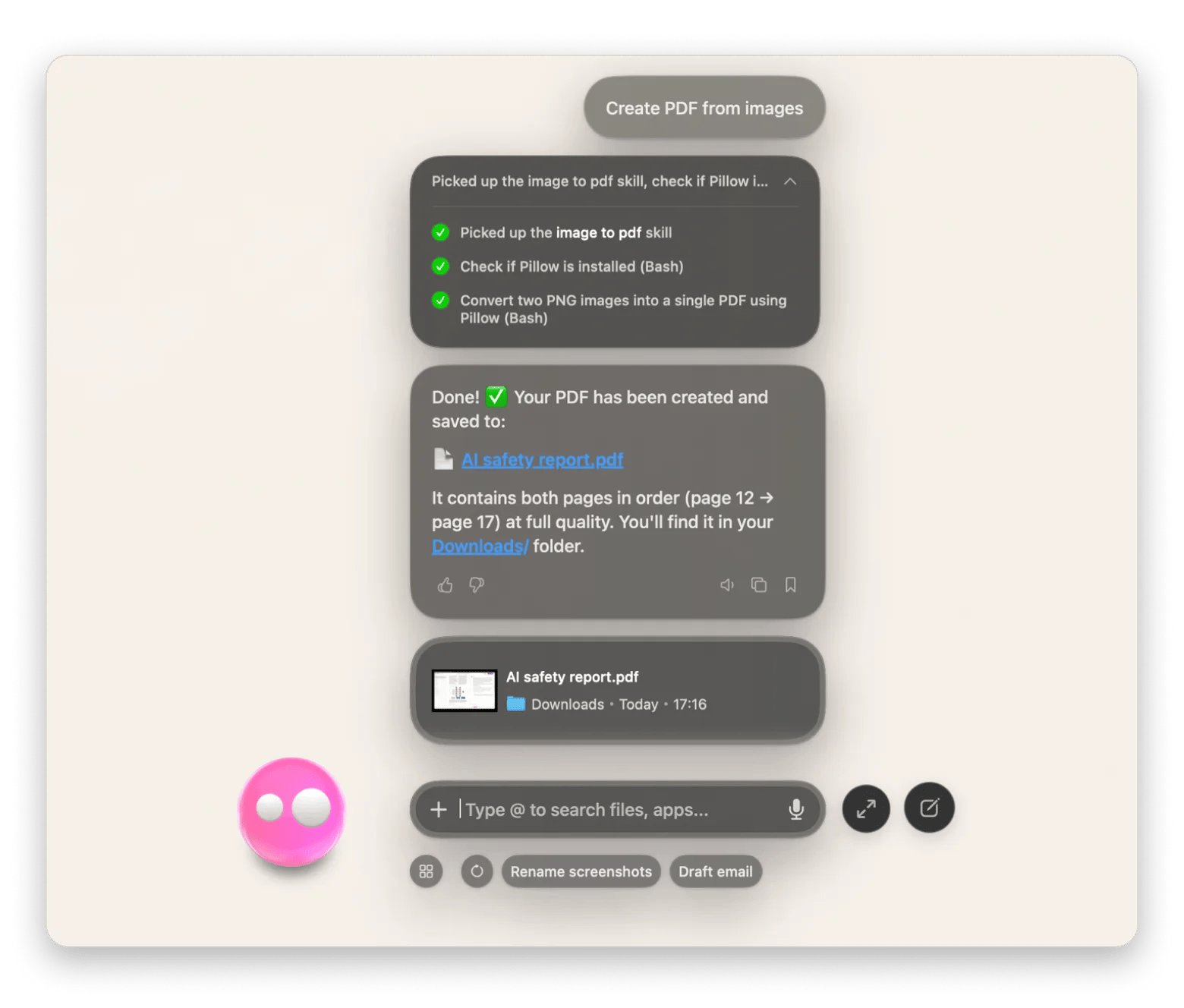
What you'll see in Eney
When you ask Eney to convert an image to PDF, it will ask you to share the image(s) if you haven’t. The AI assistant then processes the files and returns the finished PDF in the conversation. It will return the finished document in the conversation.
Who this is for
It works best if you:
Students who want to turn screenshots and scanned documents into a single PDF for study or submission.
Office workers who often scan documents or receipts to create a digital version.
Professionals who often prepare image-based documents for clients or presentations.