

What it does
When you give Eney a URL and a request, its AI Web Fetch skill retrieves the page or website and extracts the information you need. If you paste multiple URLs, it will compare the information from each page and highlight key differences, missing details, or conflicts. You can use the skill to quickly check product details, contact information, or other facts from one or several websites.
Try the prompt
You can paste the following prompt into Eney to create an AI Web Fetch skill you can use to find relevant content from websites:
Create an AI Web Fetch skill with these guidelines:
When the user asks to read, summarize, analyze, compare, or extract information from a webpage, identify the specific information they want.
If the user provides one or more URLs, fetch each page separately. If no URL is provided, use web search to find relevant pages before fetching them.
Extract information according to the request, such as summaries, facts, specifications, pricing, tables, contact details, claims, or research notes.
For multiple pages, label each source separately, compare equivalent information, and identify missing or conflicting details.
Return results in a useful format: headings and bullets for summaries, Markdown tables for comparisons or extracted tables, and field/value formats for structured information.
Include the source URL or page label with relevant findings. Distinguish information found on each page rather than combining sources without attribution.
If a page can’t be fetched, requires login, has limited readable content, or depends on unavailable JavaScript, explain the limitation and ask for another source or pasted content when appropriate.
If requested information is not found, say so clearly. Never fill gaps with assumptions or invented information.
Clearly identify important limitations or uncertainty in the fetched content.
Behavioral notes:
Treat this as lightweight web fetching and page reading, not full website crawling.
Use JSON or code blocks only when the user specifically requests them.
What you'll see in Eney
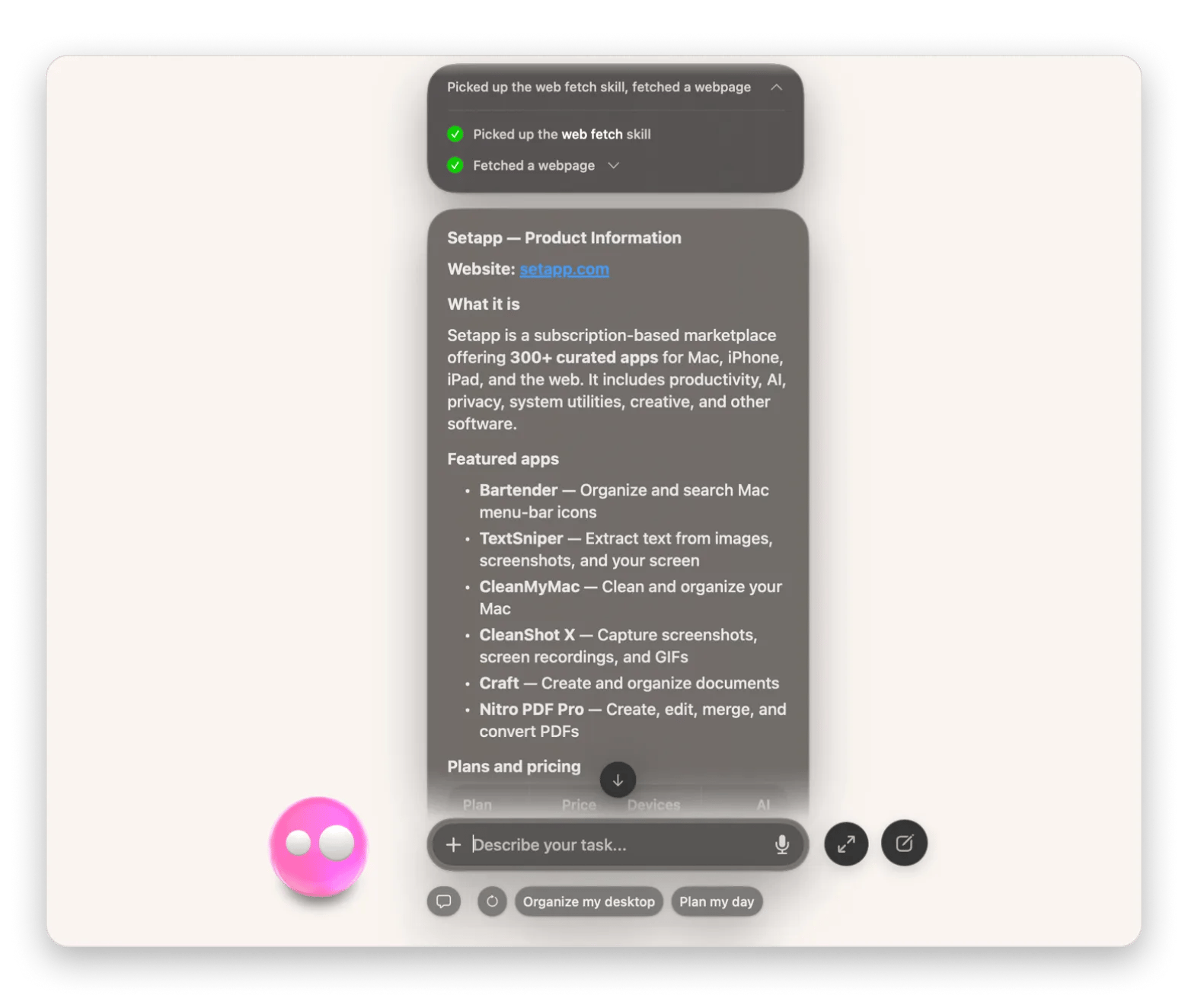
When you give Eney a URL and a request, it will show you the information it found from the webpage, organized around your request. If it’s two URLs, the AI assistant compares the content side by side and highlights differences to make conflicting facts easier to compare.
Who this is for
It works best if you:
Researchers and analysts who want to extract facts, figures, and claims (like a money-back guarantee) from online sources without manually reading every page.
Marketers who want to extract product and pricing details from competitor websites for comparison.
Developers who want a quick way to pull specs and other technical information from websites.