

What it does
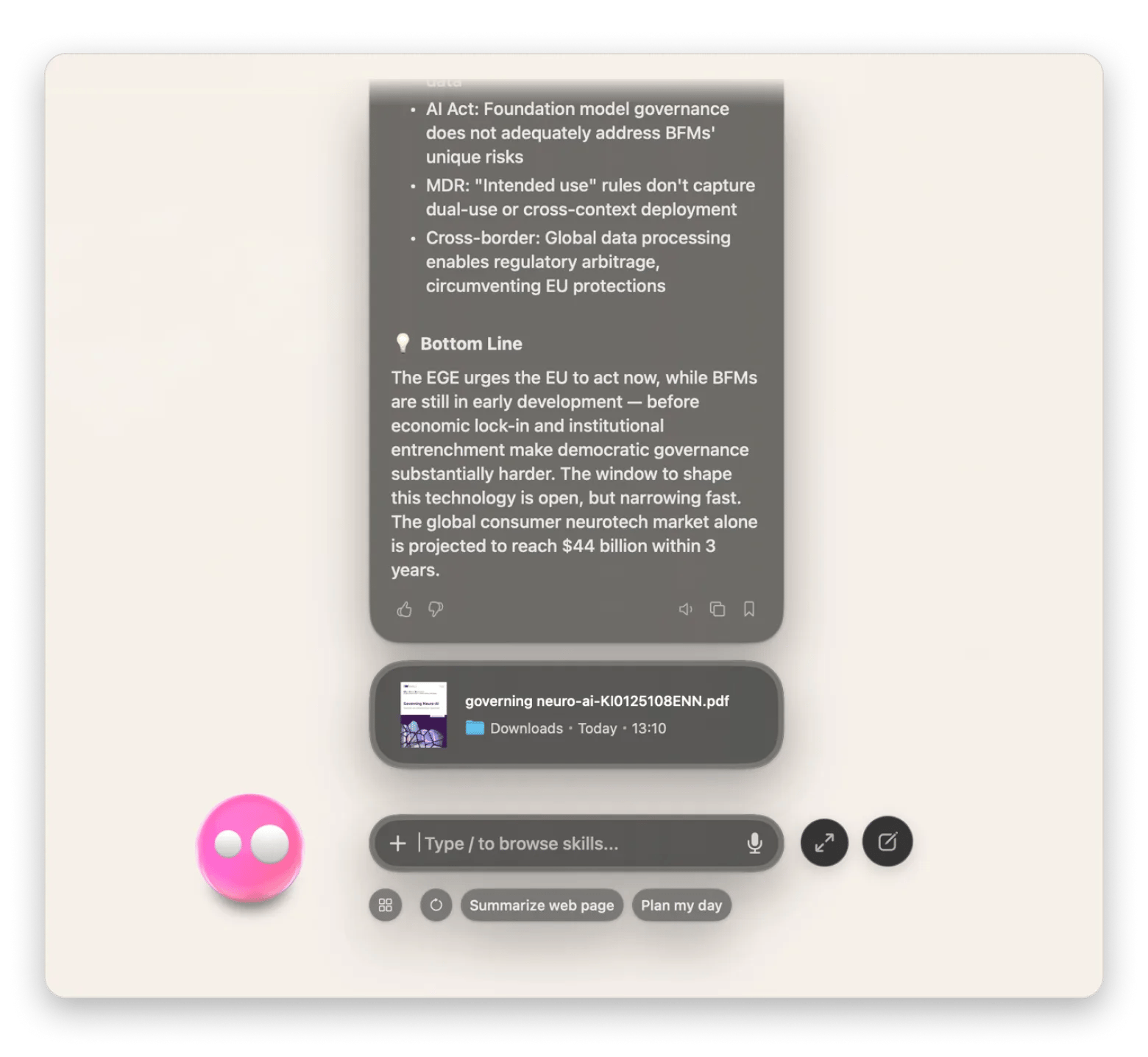
When you ask Eney to summarize text, a document, or a web page, it analyzes the content in the background and produces a summary that captures the main points. Depending on the content, the AI assistant will use paragraphs, bullets, or tables to highlight key points, then give you a copy button.
Try the prompt
Paste the prompt below to create a reusable AI summarizer skill:
Create a Summarize Content skill with these instructions:
Summarize documents, text, and web content provided by the user.
Identify the main ideas, important details, conclusions, and key takeaways.
Keep the summary concise while preserving information that matters to understanding the source.
Adapt the length and level of detail to the amount and complexity of the source material.
Use paragraphs, bullets, or tables when they make the summary easier to scan.
Preserve important names, numbers, dates, and other specific details.
Ask the user for the source file, text, or URL if it has not been provided.
Do not add information that is not supported by the source.
Behavioral notes:
Prioritize clarity and useful details over a fixed summary length.
Make the final summary easy to read and copy.
What you'll see in Eney
When you ask Eney to summarize a document or web page, it loads the Summarize Content skill and asks for the input if you haven’t provided it. The AI assistant then processes the content and returns the summary in the conversation. There’s a copy button at the end that makes it easy to copy the text.
Who this is for
This is for you if you:
Students who want to summarize lecture notes, research papers, or other study materials.
Researchers trying to filter out or get a quick overview of papers, reports, and other material.
Professionals and knowledge workers who need to get key points from articles, documents, or videos without spending much time reading or watching.