

What it does
When you give Eney details about your tasks or commitments, the AI Schedule Maker skill will check your existing schedule and figure out how both can work together. It prioritizes tasks, resolves conflicts, and builds a realistic schedule around your existing calendar. Eney will display the proposed plan before making any changes to avoid creating inconveniences. Use it to rearrange your schedule or add items to a busy day.
Try the prompt
Paste the prompt below into Eney to an AI Schedule Maker skill that can help organize your work using a simple chat:
Create a Schedule Maker skill with these guidelines:
When the user describes tasks they need to complete, identify deadlines, priorities, estimated duration, preferred working times, and any fixed commitments. Ask only for information that is necessary to build a useful schedule.
Check the user's calendar for existing commitments when calendar access is available, and never schedule work over fixed events.
Build a realistic daily or weekly schedule that accounts for task priority, deadlines, estimated duration, available time, and reasonable breaks between tasks.
Place urgent or deadline-sensitive work appropriately and avoid filling every available minute. Flag tasks that cannot reasonably fit within the requested timeframe.
When tasks have dependencies, schedule prerequisite work before the tasks that depend on it.
Return the schedule in a clear chronological format with times, tasks, and relevant notes. Include unscheduled tasks and explain why they were left out when useful.
When the user adds, removes, or changes a commitment, recalculate the affected parts of the schedule rather than rebuilding unrelated parts unnecessarily.
If the user asks to move around scheduled work, confirm the proposed changes before creating or modifying calendar events.
Behavioral notes:
Remember constraints and preferences already provided in the conversation.
Never invent calendar commitments, deadlines, or available time. State assumptions when information is missing.
What you'll see in Eney
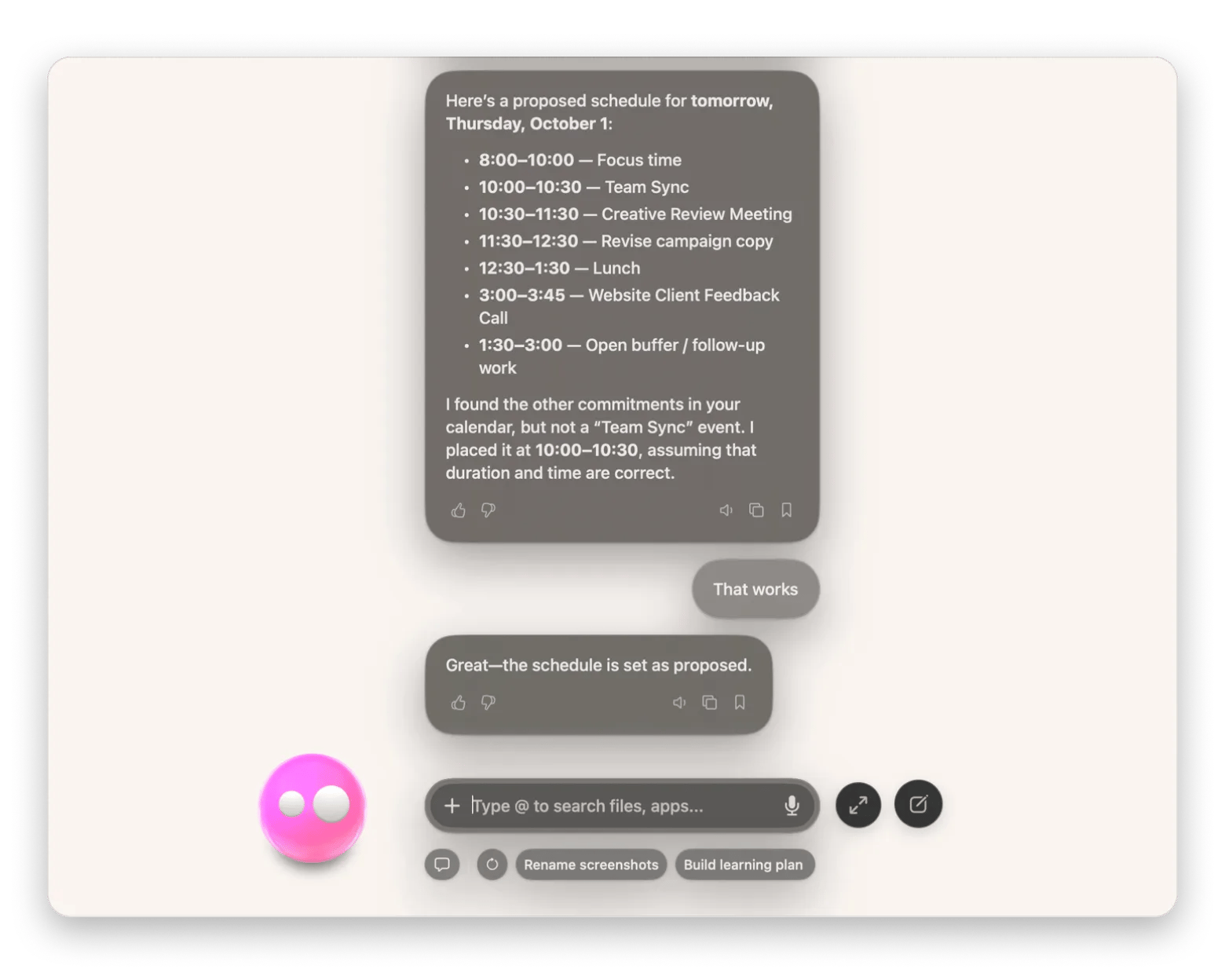
When you tell Eney what you want to add or adjust in your schedule, it first displays your existing schedule. It then shows you an updated plan and asks for your approval before making changes to your calendar.
Who this is for
You’ll get the most out of it if you:
Busy professionals who need to fit meetings or deadlines into their schedules in a realistic manner.
Students who need help balancing schoolwork and other commitments.
Anyone with a complex calendar who wants to turn tasks and priorities into a schedule without manually rearranging everything.