
What it does
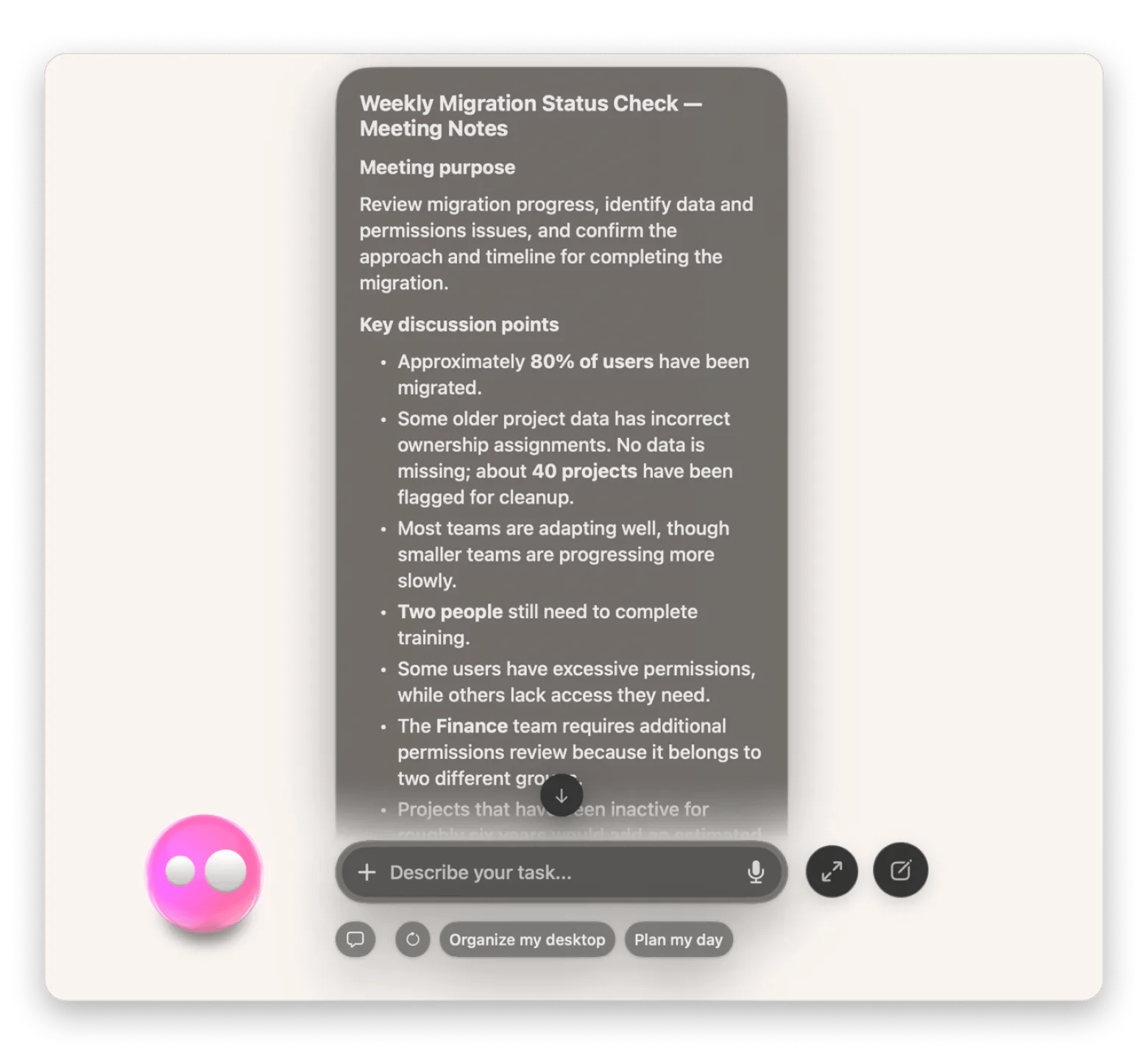
Ask Eney to create meeting notes from a transcript or audio file. Eney transcribes audio, then organizes the conversation into sections for purpose, key points, decisions, action items, and unresolved issues. Eney can send the notes to Apple Notes or a connected apps.
Try the prompt
You can paste the following prompt into Eney to create an AI Meeting Notes skill that will analyze your meeting transcript, create smart meeting notes, and send the notes to Apple Notes or a connected app.
Create a Meeting Notes skill with these guidelines:
When the user requests meeting notes, ask them for the transcript or audio file.
If it’s an audio file, transcribe it first to create the transcript.
Retrieve the meeting transcript. Review the conversation to identify the meeting's purpose, main discussion points, decisions, and next steps.
Extract action items with assigned owners and deadlines whenever these are explicitly mentioned.
Organize the results into a clear summary with sections for key discussion points, decisions, action items, and unresolved questions.
Include important context for decisions and action items without reproducing the entire conversation.
If the user requests it, save the notes to Apple Notes or a connected app. Otherwise, prepare them in a format suitable for sharing.
When information is unclear or missing, flag it rather than guessing. Tell the user where the completed notes were saved.
If the user didn’t specify where to save, provide the notes in the conversation and ask them if they’d like to save the notes in Apple Notes or a connected app.
Behavioral notes:
Keep notes concise, accurate, and easy to scan.
Never invent decisions, assignments, or deadlines.
What you'll see in Eney
When you ask Eney for meeting notes, the AI assistant will ask you to provide a transcript or audio file. It will analyze the file and return your meeting notes in the conversation with a summary, action items, owners, and deadlines where available. Eney will then ask you if you want to save the notes in Apple Notes or a connected app.
Who this is for
It works best if you:
Professionals who want to focus on the conversation during meetings and still have a clear record of key discussions, decisions, and action items.
Team leads and project managers who want to track action items and their owners across deadlines and team meetings.
Remote workers who want to catch up on meetings they missed and keep track of what they need to follow up on.