

What it does
When you connect Notion and give Eney your documents and notes, it will use the AI knowledge base skill to organize them into a searchable Notion database. It groups items into categories with details such as status, source file, owner, and item summary. You can use it to organize your meeting notes or client projects. You can also build an internal team wiki and update it with Eney as new information comes in.
Try the prompt
You can paste the skill below into Eney to create an AI Knowledge Base skill that organizes your notes and documents to keep them connected:
Create a Knowledge Base skill with these guidelines:
Ask what the knowledge base is for and which documents, notes, or connected sources to use.
If there’s no active Notion connection, inform the user and ask them to create it first. Otherwise, create a local database.
Check for an existing Notion database. If none exists, ask permission to create one with suitable categories and properties.
Gather the materials and identify their main topics, important details, and relationships.
Organize the information into Notion entries with clear titles, categories, concise summaries, and source references.
When the user asks a question, search the Notion database and provide an answer with links to relevant entries and sources.
Identify duplicate, conflicting, or outdated information. Flag inconsistencies and ask the user how to resolve them.
When new materials arrive, find the relevant Notion entries and propose updates without losing useful existing information.
Ask for approval before making significant changes. Update existing entries rather than creating duplicates.
If Notion or a source is inaccessible, explain the limitation. Never claim information was saved unless the action succeeded.
Behavioral notes:
Base answers on the user's materials. Never invent missing facts or sources.
Keep the database easy to navigate and maintain.
What you'll see in Eney
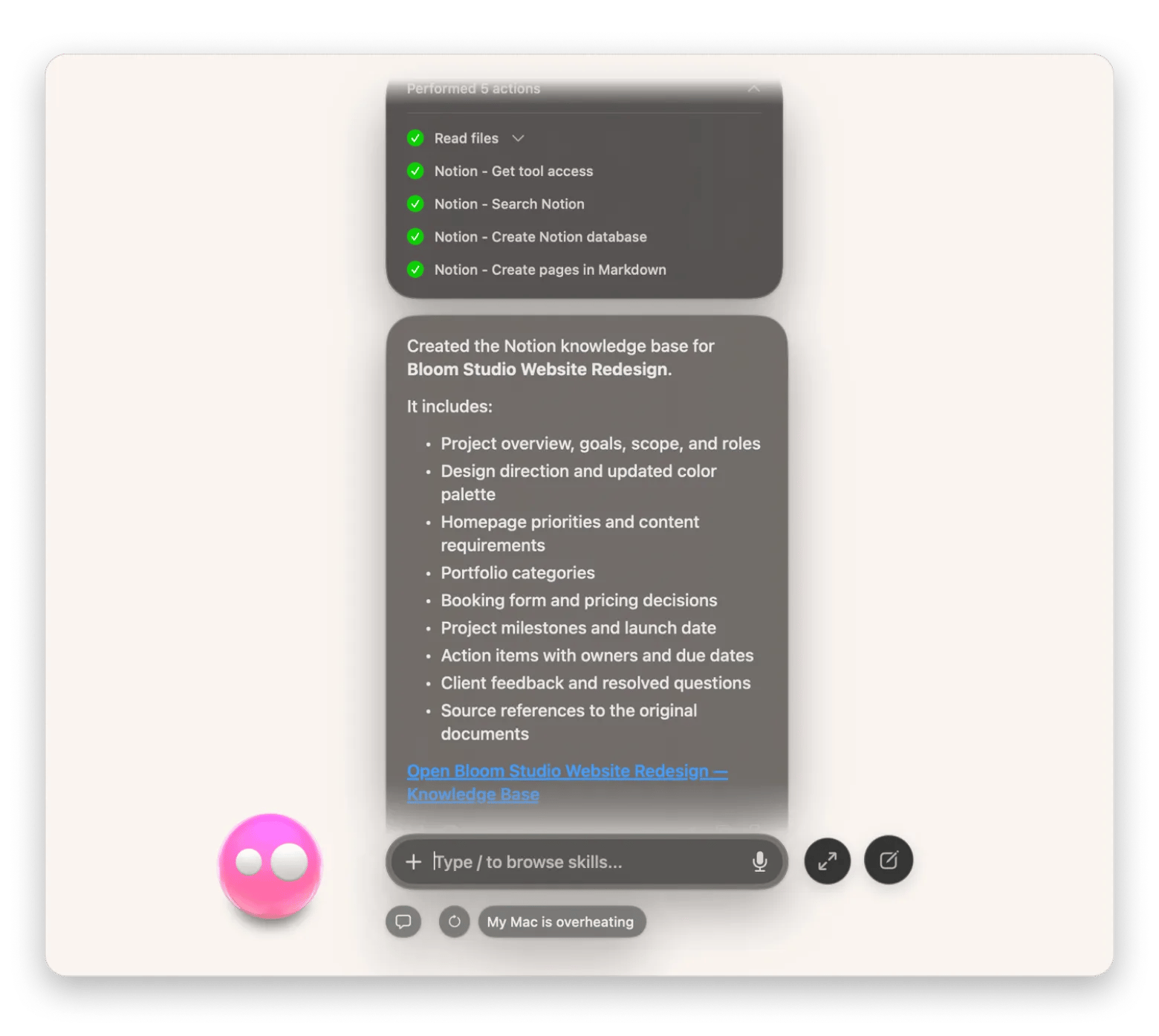
When you mention a knowledge base, Eney will ask for the topic, materials, and preferred destination. The AI assistant will then create your database and give you a summary of the process, including a link to the knowledge base.
Who this is for
Eney handles this best when you:
Teams and small businesses who want to organize internal documents or create a shared knowledge base.
Freelancers who want a simple way to organize and retrieve client briefs and meeting notes.
Researchers who want to organize notes, reference materials, and findings in a searchable manner.