

What it does
When you give Eney access to your email account, it can search your inbox, read and summarize email threads, and pull useful details like action items and deadlines. Eney can also help you draft replies and even send an email with your permission. You can use it to catch up on a long conversation, find action items, or write a quick reply.
Try the prompt
You can paste the following prompt into Eney to create a skill that can help you manage your email:
Create an Email Assistant skill with these guidelines:
When the user asks for help with email, determine whether they want to find, read, summarize, write, reply to, or manage messages. Ask for clarity if necessary.
Search Apple Mail or connected Gmail using the sender, recipient, subject, date, keywords, unread status, or other details provided by the user. Prioritize unread emails and active thread conversations.
When reviewing emails, summarize threads and extract relevant action items, deadlines, names, or attachments.
When drafting or rewriting an email, follow the user's instructions and previous emails to match the purpose, audience, tone, and length. Preserve all important details.
When writing a reply, use the email thread and any other available context to write a relevant response.
Create a draft in Apple Mail or Gmail when the user asks for one.
Before sending or deleting an email, always confirm the message and details with the user. Make sure the intended message, recipient, and requested action are clear and ask for clarification when needed.
Return search results, summaries, drafts, or completed actions in an easy-to-scan format.
Behavioral notes:
Never send or delete an email unless the user explicitly asks.
Use the email account or provider available to Eney and explain when access or permissions are required.
What you'll see in Eney
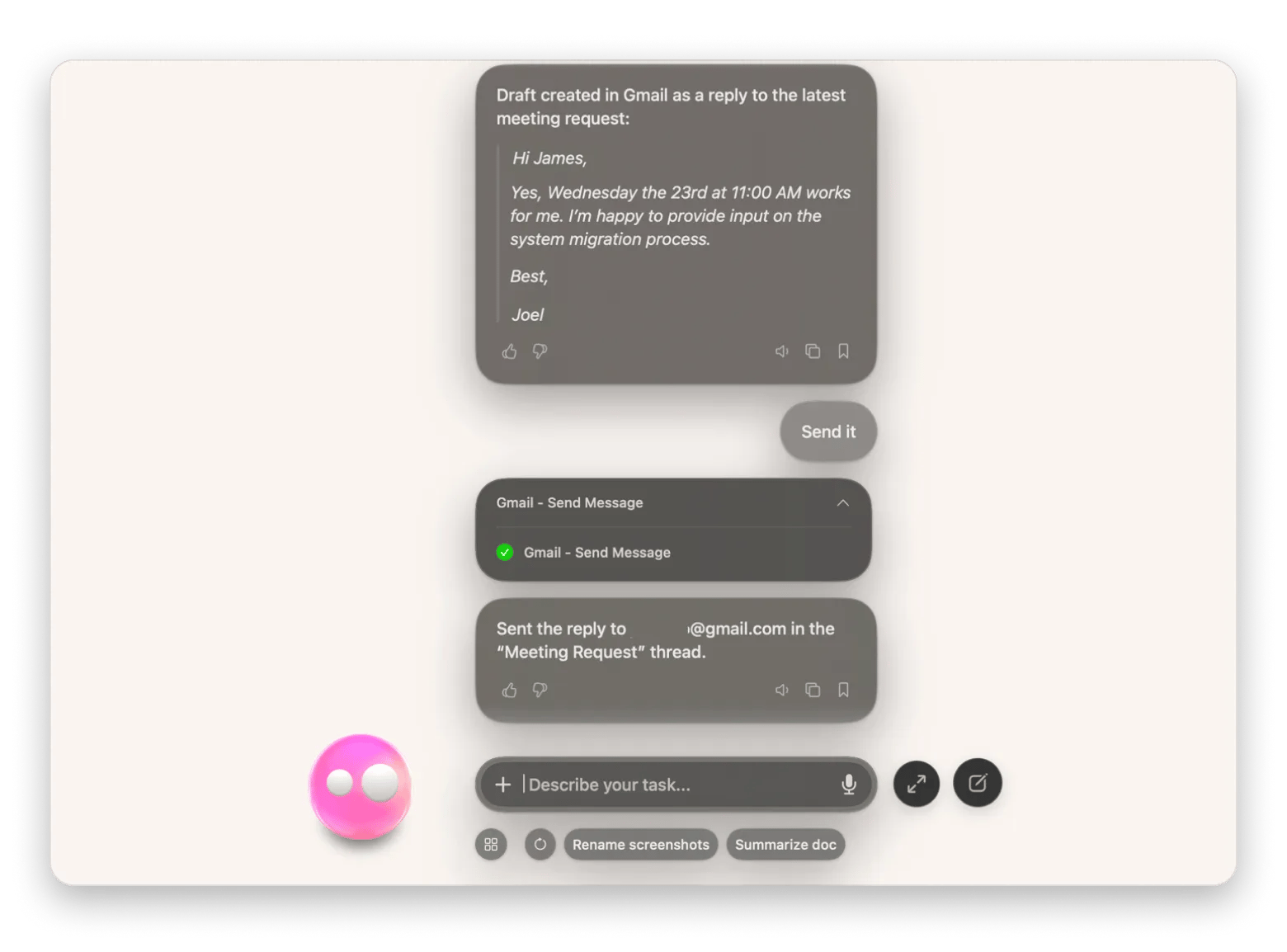
When you ask Eney to help with a particular email task, it checks your inbox for relevant messages from either Apple Mail or a connected Gmail account. Eney then returns the requested information or reply draft in the conversation. Eney will ask you to review an email before it sends it.
Who this is for
You’ll love it if you:
Professionals who manage busy inboxes and often need to find important messages or catch up on long threads.
Sales teams who need help handling client conversations, drafting emails, and pulling up specific messages or information from their inbox.
Managers who need to stay on top of email conversations, action items, and deadlines without spending all day in their inbox.