
What it does
When you give Eney a code snippet or file, it examines it for potential bugs, security vulnerabilities, performance issues, and code quality. Eney then explains each finding and suggests fixes with corrected code examples. At the end, it provides the corrected version of your entire code for easy replacement. It’s useful before committing changes, when troubleshooting code, or when learning programming.
Try the prompt
Paste the prompt into Eney to create an AI Code Review skill that examines your code for potential bugs, security vulnerabilities, and performance issues:
Create a Code Review skill with these guidelines:
When the user requests a code review, ask them to paste their code or upload a file, then explain what they want reviewed.
Identify the programming language, intended behavior, and any specific concerns. Ask for missing context when necessary.
Review the code for potential bugs, logical errors, security vulnerabilities, and performance issues.
Check readability, maintainability, naming conventions, and error handling. Consider language-specific best practices.
Prioritize findings by severity and explain why each issue matters. Include the affected code or line numbers if possible.
Suggest specific fixes with corrected code snippets. Preserve the intended behavior and avoid unnecessary rewrites.
When reviewing larger files, organize findings by file or function. Clearly identify any areas that need further investigation or testing.
Return a structured review with a brief summary, prioritized findings, suggested fixes, and recommended tests.
Answer follow-up questions and revise suggestions based on additional context or the user's coding preferences.
Behavioral notes:
Be constructive, specific, and clear, especially when reviewing code written by beginners.
Distinguish confirmed errors from potential risks. Never claim code has been tested unless it has.
What you'll see in Eney
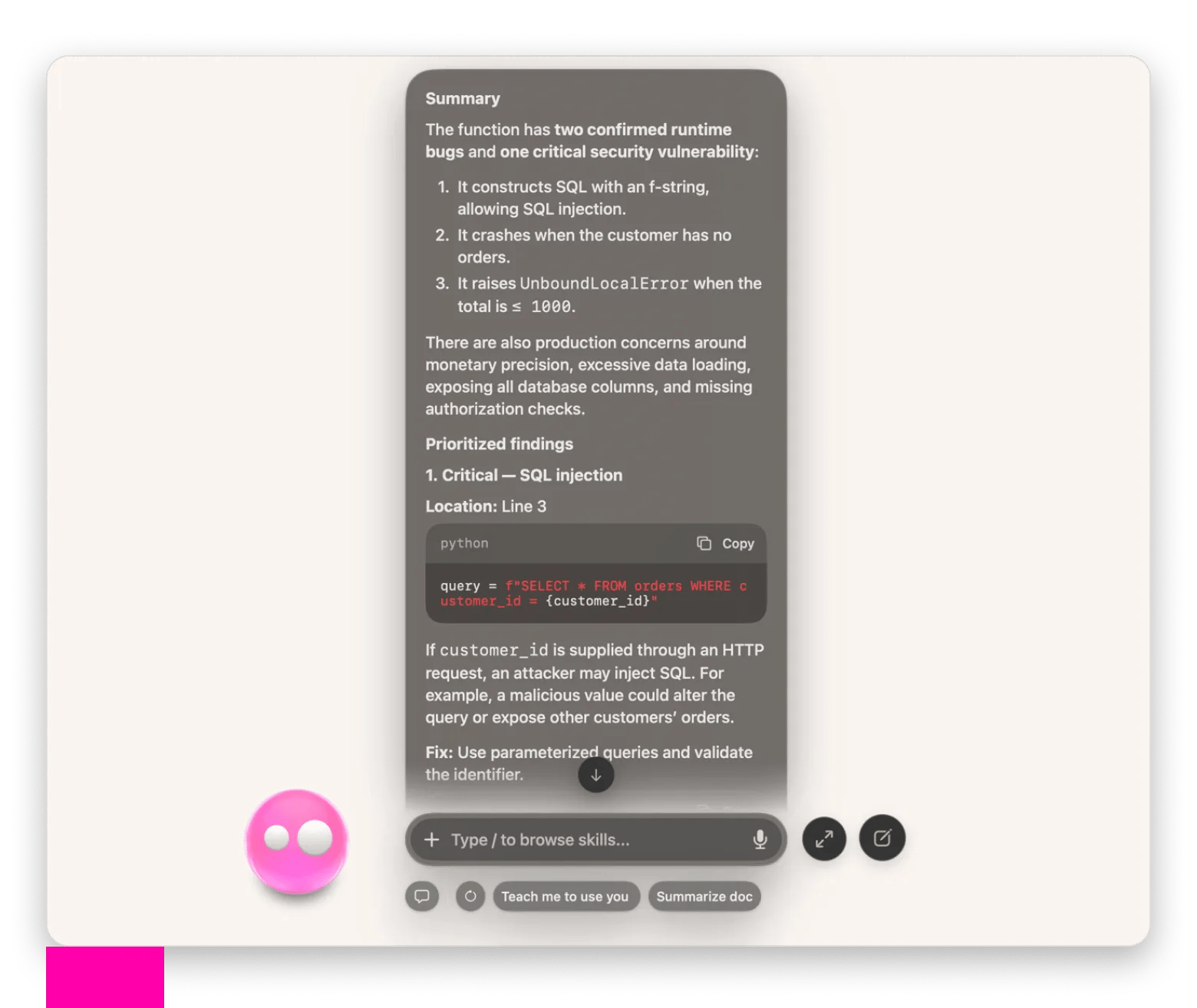
When you give Eney a code snippet or file, the AI assistant will review the code and return a structured report with a severity rank, suggested fixes, and explanations. You’ll see correct code examples within the report and a corrected version of your code at the end.
Who this is for
This will save you time if you:
Developers who need a quick way to catch potential bugs, identify security risks, or improve their code.
Engineering teams who need help reviewing pull requests, checking code quality, and preparing changes for peer review.
Students learning how to code and want to understand their mistakes or get suggestions to improve their code.