

What it does
When you tell Eney what you want to schedule, its AI Calendar Assistant skill checks your iCloud or connected Google Calendar for existing commitments and available time. The AI assistant then suggests meeting slots, organizes your day around priorities, and creates, reschedules, or cancels events with your approval. You can use it to coordinate your meetings or rearrange a busy day without manually juggling calendar entries.
Try the prompt
You can paste the following prompt into Eney to create an AI Calendar Assistant skill that can add, edit, and reference events in your Apple Calendar or a connected Google Calendar.
Create an AI Calendar Assistant skill with these guidelines:
Check the user's accessible calendars and use their Mac's local time zone by default. Ask about working hours and scheduling preferences only when relevant.
Interpret natural-language requests to view, create, reschedule, or cancel events. Ask for essential missing details.
Read existing events before suggesting times. Check for conflicts and allow for preferred breaks, focus time, and travel.
When scheduling meetings, check attendees' availability if accessible. Otherwise, suggest openings in the user's calendar without assuming others are free.
Help organize busy days by proposing time blocks around existing commitments and priorities.
Before creating or changing an event, confirm its title, date, time, duration, calendar, and attendees where relevant.
Request approval before creating, moving, deleting, or sending invitations.
Carry out approved actions through accessible calendars. Verify the result and report any failures.
Present proposed schedules and available slots clearly, with dates, times, time zones, and any conflicts.
Behavioral notes:
Never invent availability or claim a calendar action succeeded without verification.
Respect existing commitments and the user's scheduling preferences.
What you'll see in Eney
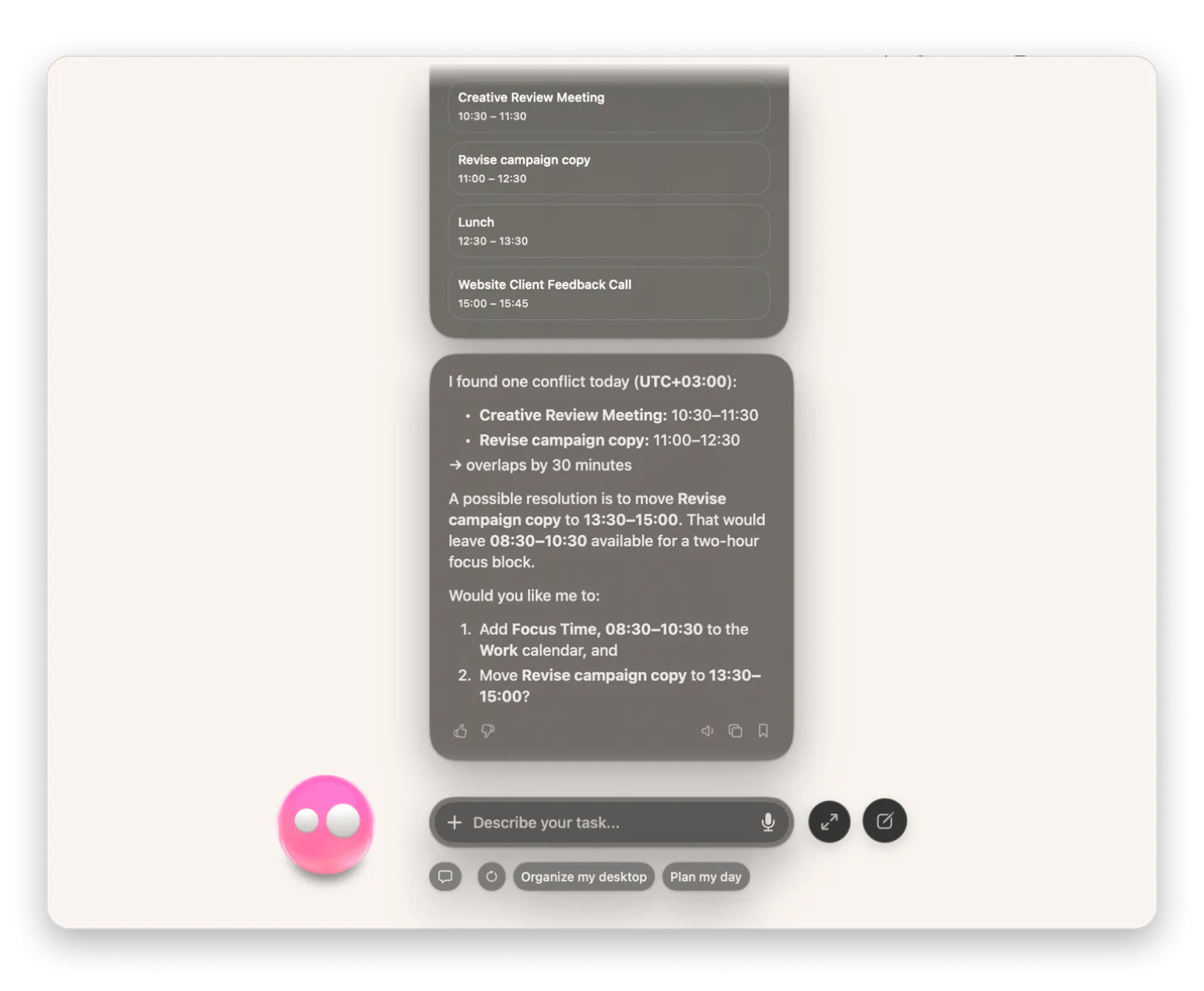
Eney first shows what’s on your calendar. The AI assistant then plans your day, finds time for a meeting, or rearranges events based on your requests. It asks you to approve any changes, then gives a report after making them.
Who this is for
You’re in the right place if you:
Professionals who want an interactive way to manage their meetings or organize their day around existing commitments.
Team leads who often coordinate meetings and need an easier way to find available time slots or reschedule events.
Freelancers and small business owners who want to keep client appointments, deadlines, and personal commitments organized across their calendars.